
App features
Currency widgets for your home screen
Convert and keep an eye on rates without opening the app.
Get it on Google Play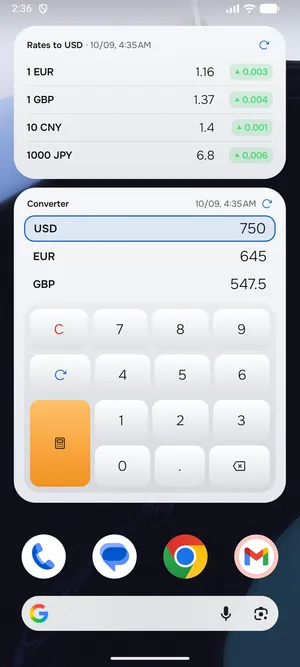
Converter on the home screen
A widget with three currencies and a keypad: type an amount right on the home screen.
Rates with the daily change
Four currencies against yours with a colored up/down indicator for the day.
Pair and scanner shortcut
Small widgets: a currency pair with a sparkline and a shortcut that opens the price scanner.
FAQ
How do I add a widget?
Long-press the home screen → Widgets → Converter PRO. Or in the app: Settings → Widgets.
Do widgets update by themselves?
Yes, together with the rates in the app. Each widget also has a refresh button.
Are widgets free?
The full set of widgets is part of PRO.
App features
- Currency converter for price tagsPoint the camera at a price tag, menu or receipt and see prices in your currency right over the frame.
- Offline currency converterThe latest rates are saved on your phone, so the converter works on a plane, in roaming and anywhere without signal.
- Convert at your exchange office's rateBanks and exchange offices don't use the market rate. Set yours and see right away how much you'll get.
Take the converter with you
The app works without internet, scans price tags with the camera and lives on your home screen as a widget.
Get it on Google Play